Hours
Monday to Friday: 9AM - 5PM



If your online store is getting traffic but not generating sales, product pages are usually where the problem lives. It’s rarely about the products themselves. It’s about how they’re presented, the trust signals that are missing, and the frictions that make someone decide to click away instead of add to cart.
Here’s a clear-eyed look at why bike shop product pages typically underperform and what’s worth fixing.
Problem 1: The Description Is the Same as Everyone Else’s
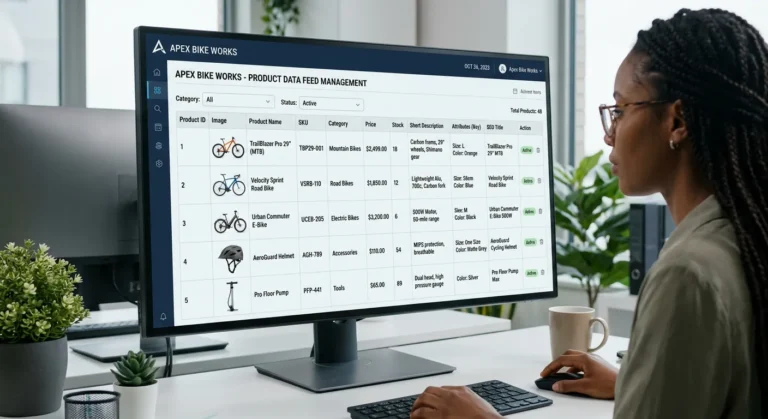
If you’re running a QBP, BTI, or J&B product feed through Workstand, Masterlinq, or Frengee, your product descriptions are the manufacturer or distributor’s copy. Every other shop on the same feed has the exact same words on the exact same product pages.
Google has no reason to rank any of them over the others. And customers who are comparison shopping have no reason to choose your shop based on the product page — because it doesn’t sound any different from the next result.
The fix isn’t to rewrite your entire catalog. That’s thousands of pages and not a reasonable use of time. The fix is to prioritize: write custom descriptions for your top 20 to 30 highest-margin products, add a short ‘Staff Pick’ note to featured items, and make sure your category pages have original introductory copy that reflects your shop’s expertise.
Problem 2: No Trust Signals
Someone who finds your shop for the first time through a product search doesn’t know you. They don’t know your 20-year history, your service reputation, or that your mechanics are the best in town. The product page is your one shot to establish enough trust to get them to buy.
Trust signals that matter on a product page:
- Star ratings and reviews — even a small number of genuine reviews dramatically increases conversion
- In-store availability note — ‘available for pickup at our Bakersfield location’ is a meaningful differentiator over online-only retailers
- Return and service policy — a brief, clear note about your policies, linked to the full page
- Expert availability — ‘questions? Our team is here’ with a chat link or phone number
Problem 3: The Mobile Experience Is Broken
More than half of your product page traffic is probably coming from mobile. If images don’t load cleanly, if the add-to-cart button is hard to tap, or if the page scrolls poorly — those customers are leaving. Check your product pages on your own phone. If anything feels awkward, it’s costing you sales.
Problem 4: No Merchandising Context
A product page in isolation is a single decision: buy or don’t buy. A well-merchandised product page creates a context — this is what goes with it, this is what our team recommends, this is what other customers bought. Related products, cross-sells, and ‘complete the kit’ suggestions all increase average order value and give undecided customers a reason to keep engaging.
Problem 5: Out-of-Stock Products Are Still Showing
Nothing kills conversion faster than finding the exact product you want, adding it to cart, and then hitting an out-of-stock error at checkout. Or worse — having the product page exist with no indication it’s unavailable. Your feed should be managing inventory levels, but it’s worth regularly auditing for products that are showing as available when they’re not.
What to Actually Do First
In priority order:
- Audit your top 20 highest-margin products and check their pages on mobile right now
- Add a store pickup or local availability note to every product that applies
- Set up a review collection automation if you don’t have one
- Write or update descriptions for your top products before the riding season peaks
- Add a cross-sell or related products section to your bike product pages
| The shops winning on product page conversion aren’t out-spending anyone. They’re paying attention to details that feed-driven shops ignore because the feed makes them feel like the work is done. |
| Sound familiar? If your shop is running one of these platforms and the online side isn’t keeping up with the shop floor, that’s exactly what Upline works on. No pitch, no pressure — just a straight conversation about what’s going on and whether we can help. Contact The Upline |